
QR and Qr Help
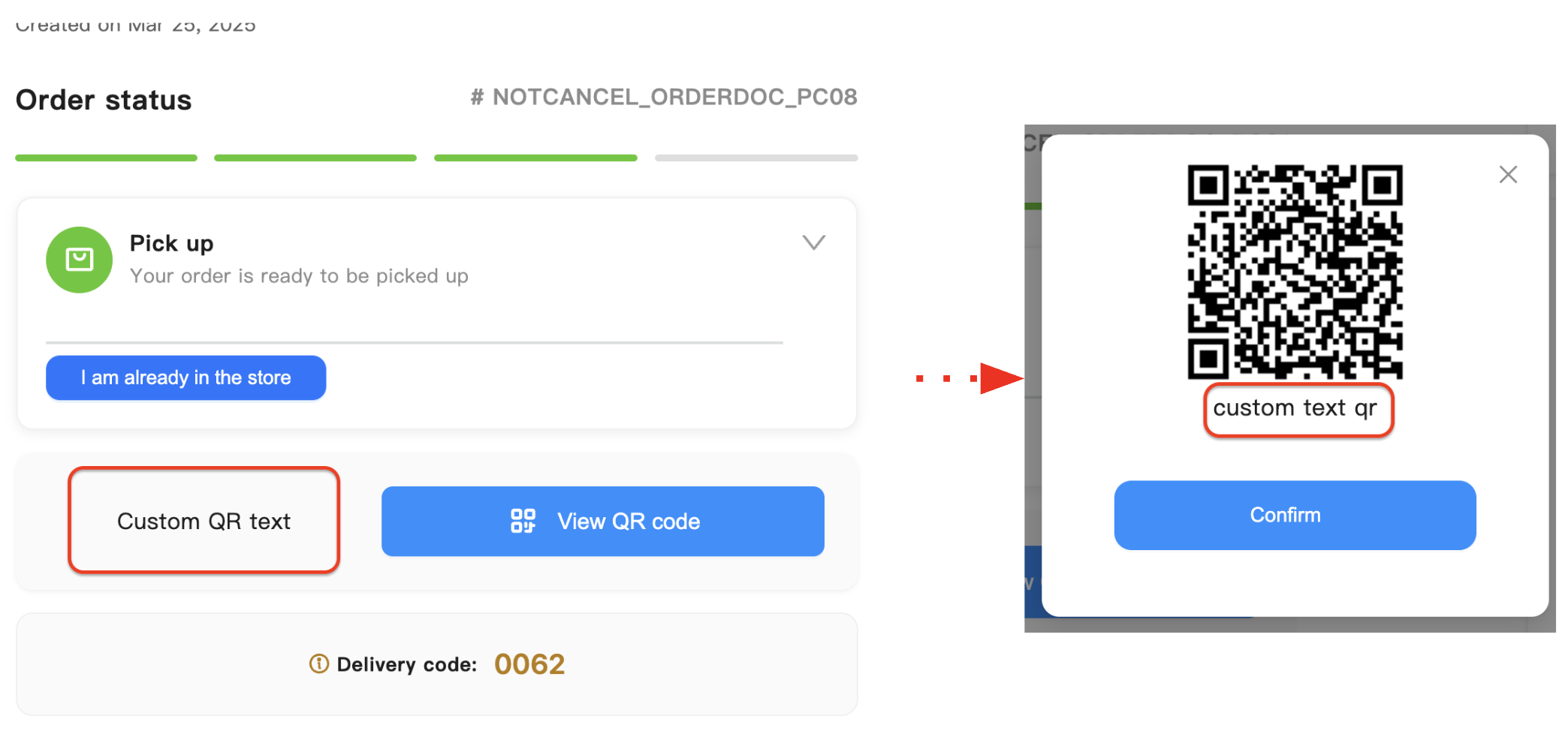
Parameter to customize the text Go to the delivery area and show the QR code in View QR Code. Parameter to customize the text Show this code to a dispatcher to receive your order in the QR modal. Note: This parameter only works on pickup orders.
Below we have a screenshot of what the feature looks like:
Implementation
Available parameters
| Parameters lib | Parameters web | description |
|---|---|---|
| customTexts.qr | qrText | Parameter to customize the text Go to the delivery area and show the QR code in View QR Code |
| customTexts.qrHelp | qrHelpText | Parameter to customize the text Show this code to a dispatcher to receive your order in the QR modal |
Code
<!DOCTYPE html>
<head>
    <title>LSW v3 Embed</title>
</head>
<body>
    <div id="instaleap-lsw-v3"></div>
</body>

<script src="https://xandar-lsw-v3.instaleap.io/lib/status.js"></script>
<script>
    const params = {
        job: "myJob",
        token: "myToken",
        container: "#instaleap-lsw-v3",
        customTexts:{
          qr: "Custom QR text",
          qrHelp: "Custom Help QR text",
        }
    }
    window.instaleap.status.render(params)
</script>
</html>https://xandar-lsw-v3.instaleap.io/status?job=myJob&token=myToken&qrText=text&qrHelpText=textDemo
Updated 11 months ago
Did this page help you?